
How it works
From supplier file to controlled Shopify update.
PowerFeed gives merchants a structured workflow for connecting supplier data, configuring source behaviour, mapping fields, applying guardrails, running updates, and reviewing what happened.
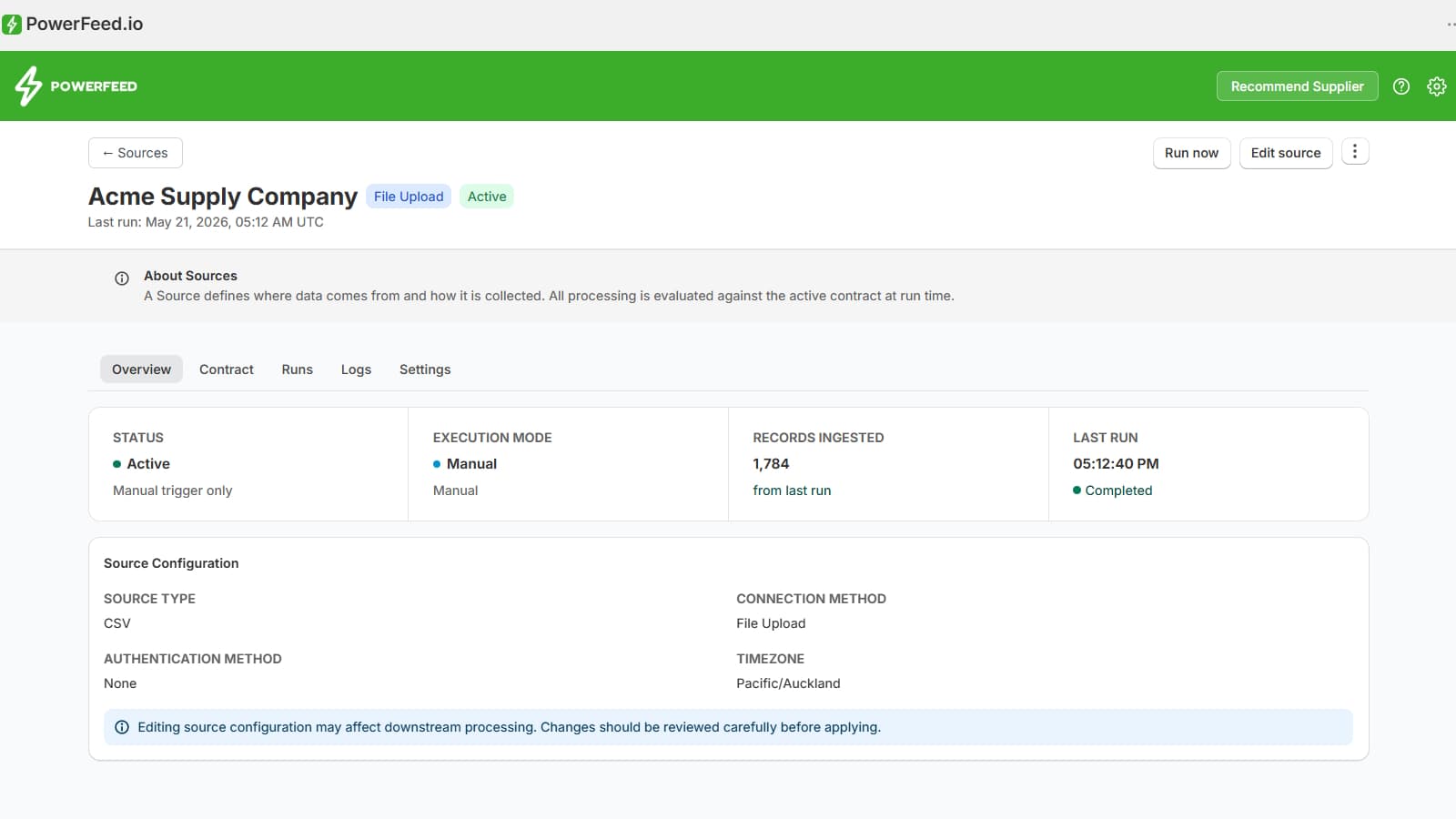
The workflow
Configure once, then run repeatable supplier updates.
PowerFeed is designed to replace fragile spreadsheet routines with a repeatable operating process for Shopify catalogue updates.
Create a source
Start with a supplier file, hosted feed, FTP/SFTP location, or uploaded product data file. Each supplier connection is managed as a separate source.
Configure the source
Set the source type, connection method, timezone, format, and source-specific settings before data is processed.
Define the data contract
Control which Shopify products the source is allowed to create, update, or manage through the active data contract.
Map and transform fields
Map supplier fields to Shopify product, variant, inventory, price, image, tag, and metafield data, with transformations where needed.
Apply guardrails
Set safeguards that help prevent unexpected or unsafe import behaviour before supplier updates affect your catalogue.
Run and review logs
Run the source, then review logs and outcomes to understand what changed, what matched, and what needs attention.
Step 1 · Sources
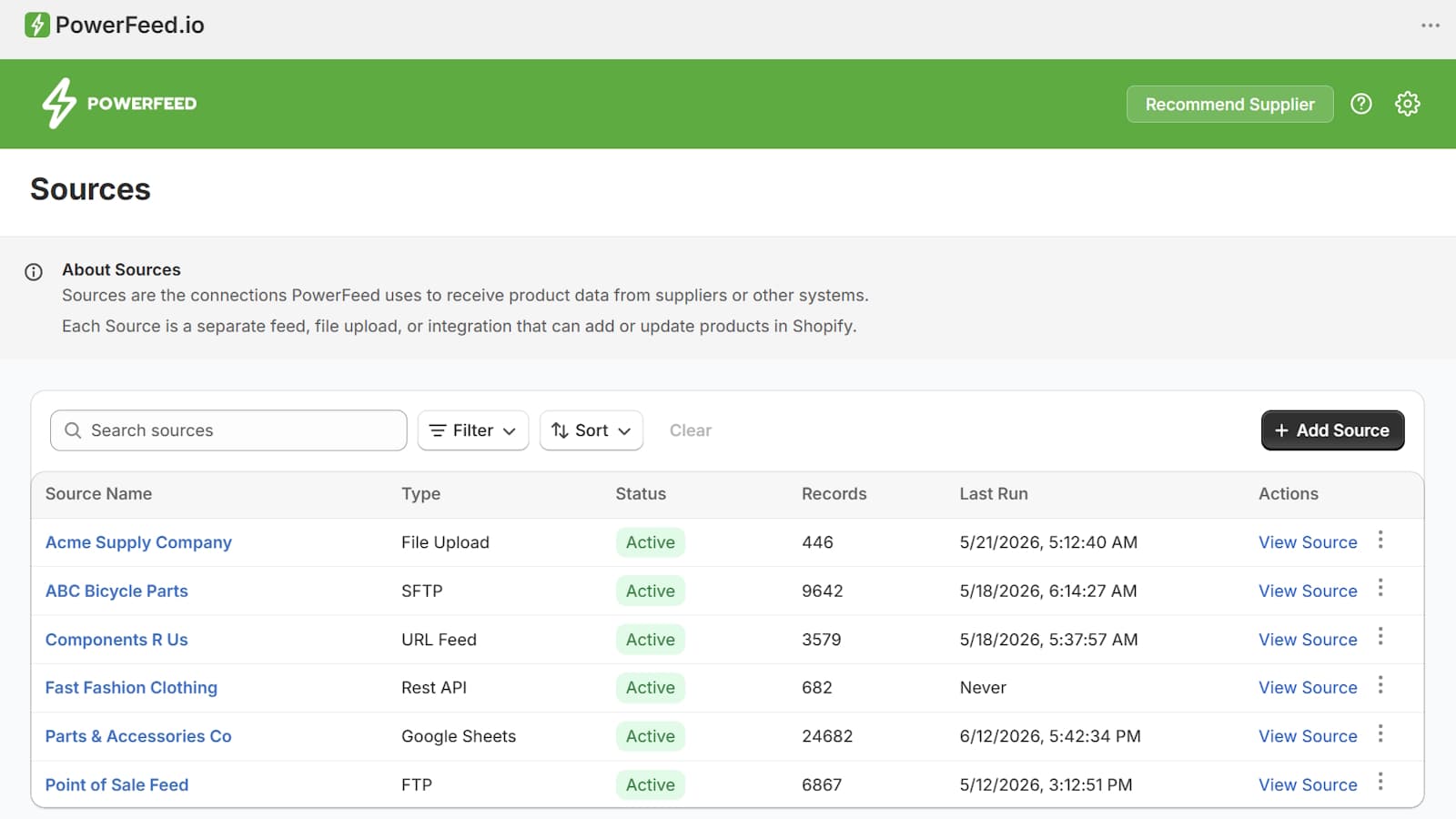
Create a source for each supplier feed.
Sources are the connections PowerFeed uses to receive product data from suppliers or other systems. Each source is a separate feed, file upload, or integration that can add or update products in Shopify.
Step 2 · Source configuration
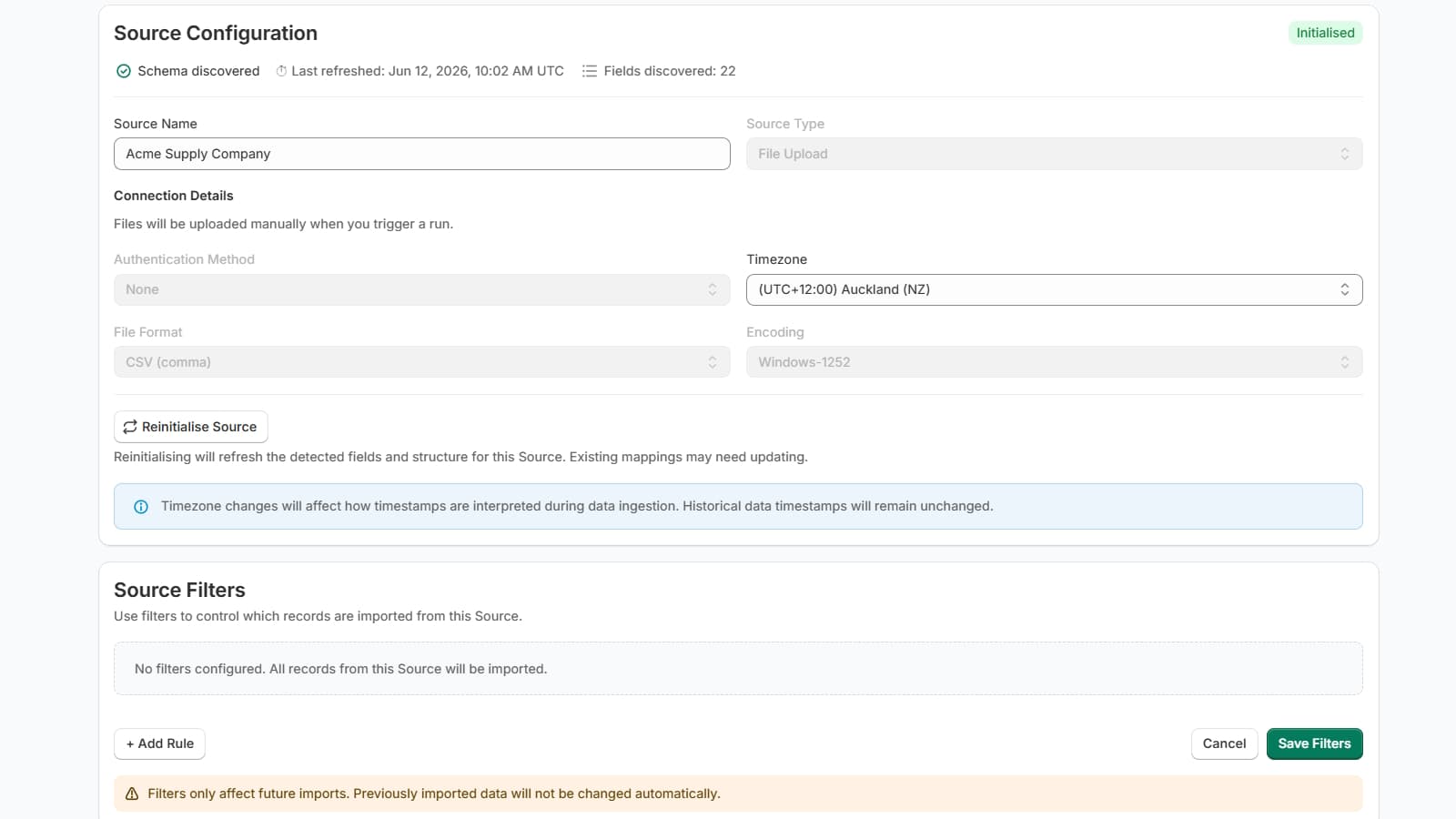
Define how supplier data is collected and interpreted.
Source configuration controls the practical setup of the supplier connection. This can include file format, source type, connection method, encoding, timezone, filters, and source refresh behaviour.
Why this matters
Supplier files are often inconsistent. Source configuration gives PowerFeed the context it needs before field mappings and contract rules are evaluated.
Step 3 · Source contract
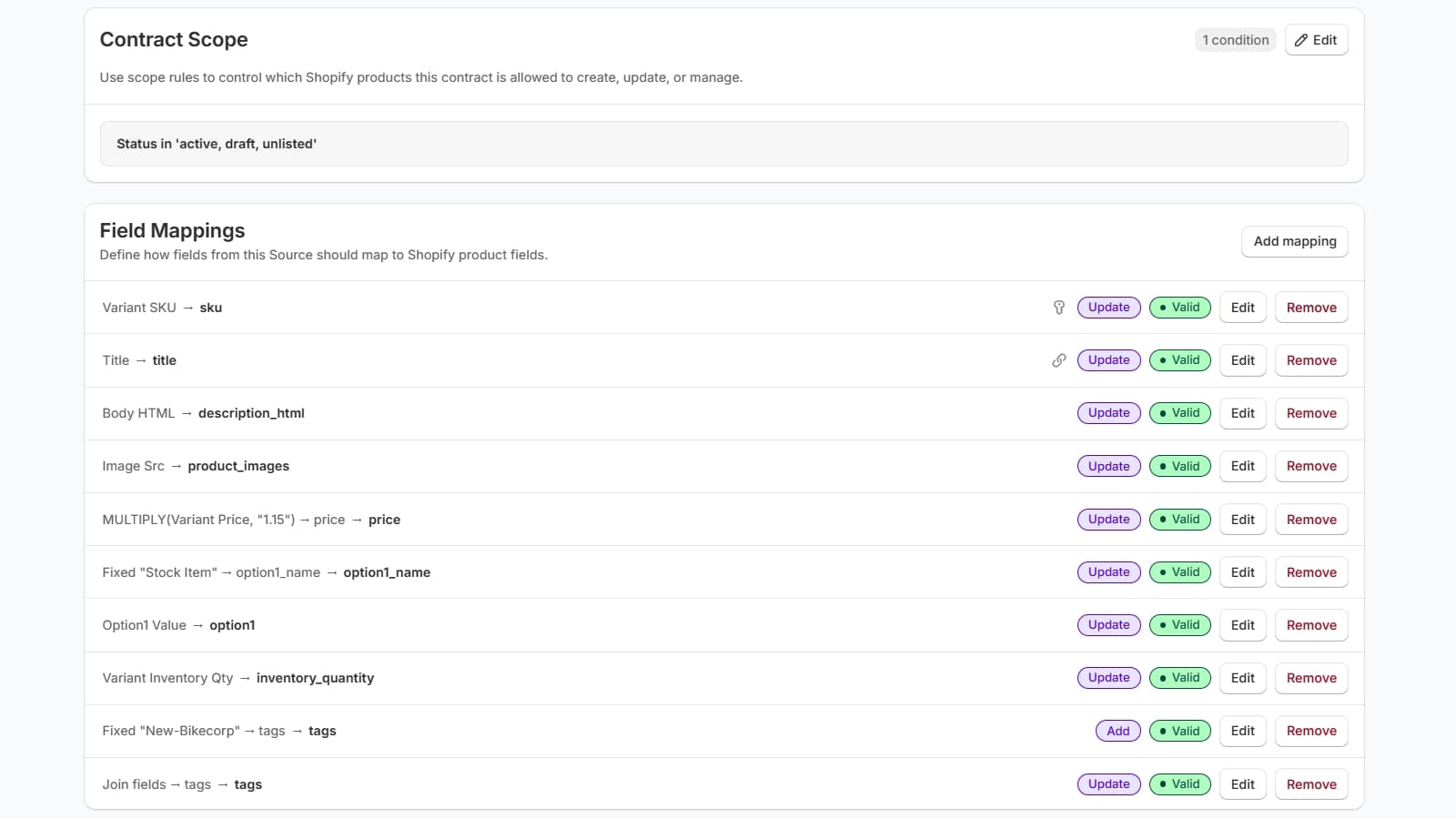
A source contract controls what the source is allowed to manage.
PowerFeed is contract-first. The active source contract defines scope, mappings, behaviour, and safeguards used when the source runs. This makes supplier updates repeatable instead of relying on ad hoc spreadsheet decisions.
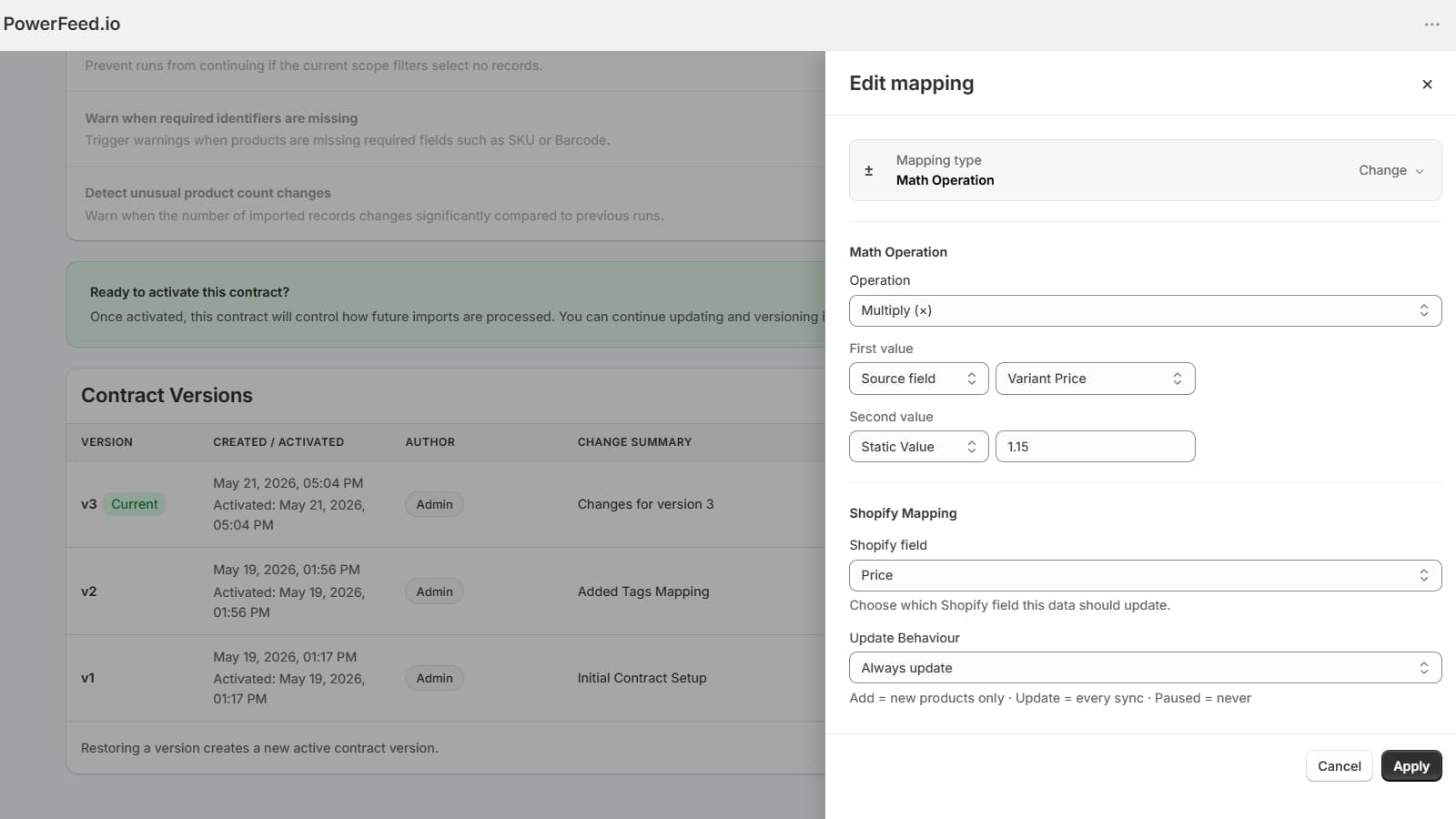
Step 4 · Mapping and transformations
Map supplier fields to Shopify, then transform them where needed.
Supplier files rarely arrive Shopify-ready. PowerFeed lets you map supplier data into Shopify fields and use transformations, such as fixed values, joined fields, or calculations, to create the output your catalogue needs.
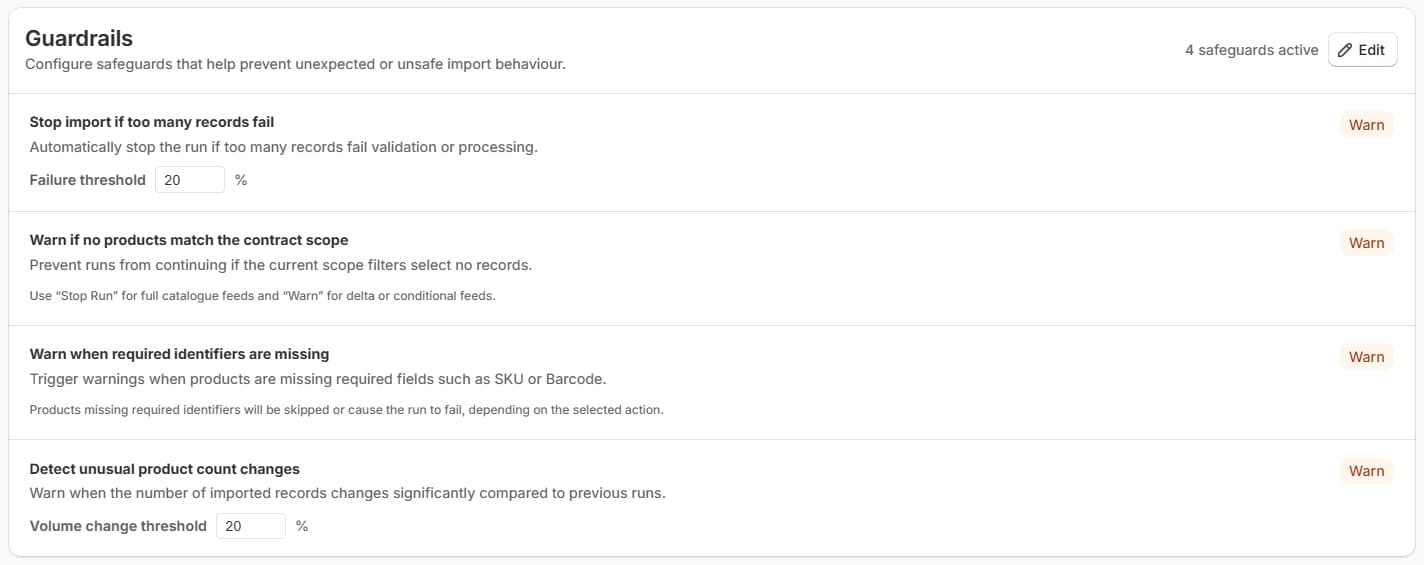
Step 5 · Guardrails
Set safeguards before supplier updates affect your catalogue.
Guardrails help reduce operational risk by warning or stopping runs when supplier data appears incomplete, unexpected, or unsafe.
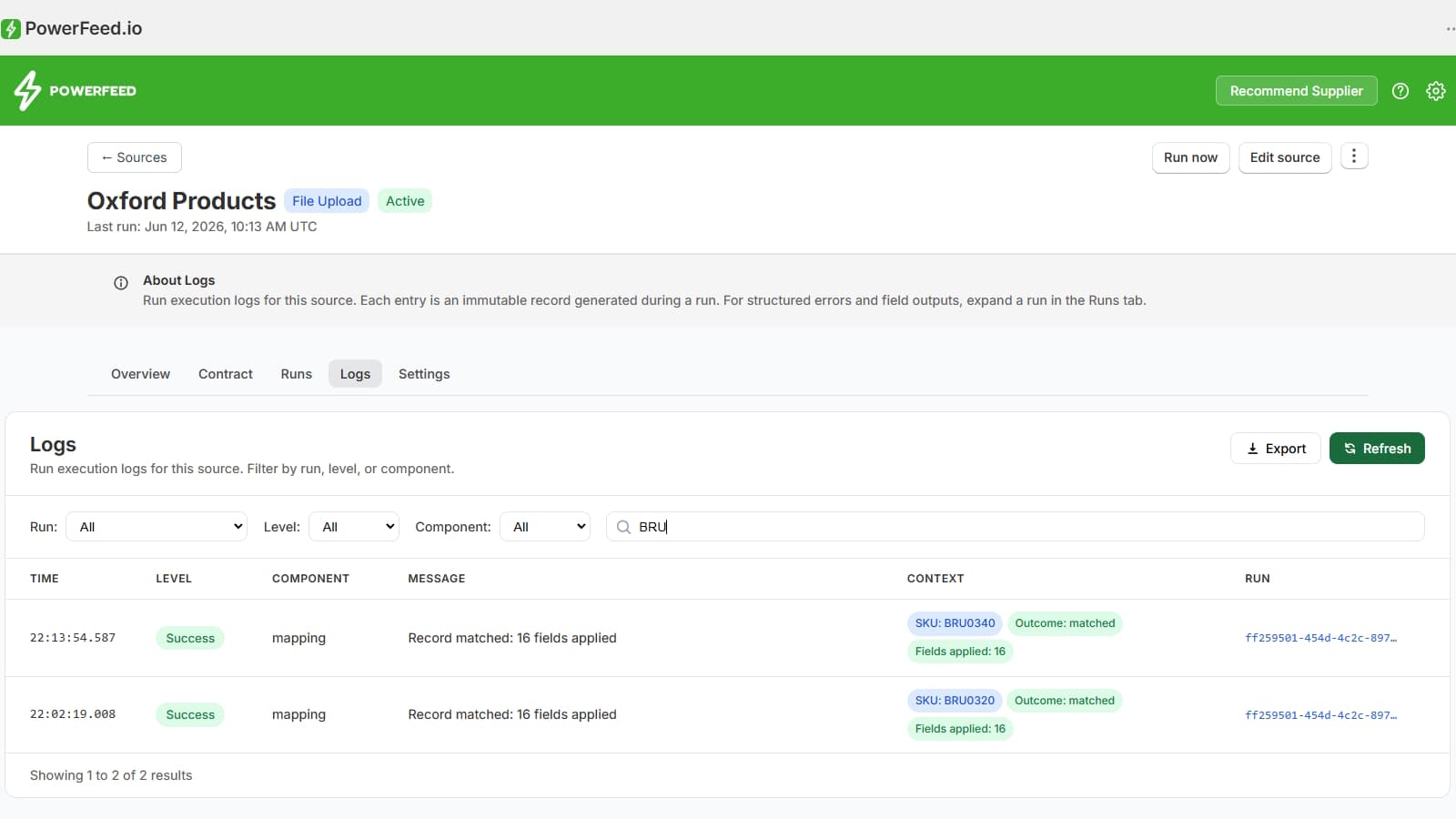
Step 6 · Logs
Review what happened after each supplier update.
Logs give catalogue teams an operational record of each run. They help you understand matching outcomes, fields applied, errors, warnings, skipped rows, and records that need attention.
Logs help answer:
- ✓ Did the run complete successfully?
- ✓ Which records were processed?
- ✓ Which fields were applied?
- ✓ Were there warnings, errors, or skipped records?
Important safety principle
Import automation should be controlled, traceable, and Shopify-aware.
It is designed to help merchants make controlled, explainable, repeatable Shopify catalogue updates through structured source configuration, contracts, field mapping, transformations, guardrails, run history, and logs.
Ready to configure your first supplier source?
Start free, connect your supplier product data, and build a repeatable Shopify catalogue update workflow.