
The short answer
How do you connect a supplier API to Shopify?
Start by reviewing the supplier's API documentation, authentication, record structure, limits and endpoints. Then configure a compatible connection that retrieves product records, handles all required pages, identifies Shopify products/variants and applies only the intended changes. Some suppliers separate their catalogue, stock and price APIs, which may justify different update schedules. An API is not automatically a ready-made Shopify integration; compatibility and setup need to be confirmed.
POWERFEED IN PRACTICE
Assess your supplier API before building the integration.
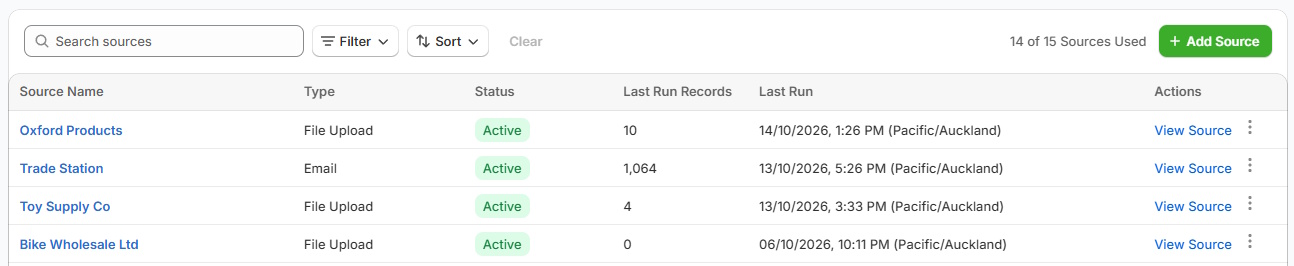
An API isn't automatically a ready-made product feed. We'll review its authentication, endpoints, pagination and data structure, then help determine whether PowerFeed can support the connection and how updates should be scheduled.
- Assess compatibility before connecting
- Plan catalogue, price and stock updates separately when useful
Practical guide
Six API questions to answer first
- How do we authenticate? API keys, tokens, OAuth and network restrictions all require different setup, secret handling and refresh practices.
- How is pagination handled? Does the supplier use
offset/limit, page numbers or continuation tokens? Requesting only the first page can silently omit most of the catalogue. - Are product and stock endpoints separate? If stock changes frequently while descriptions don't, determine whether they can be retrieved on different schedules.
- Are identifiers stable? Establish whether product IDs, variant IDs, SKUs and barcodes remain consistent across endpoint responses.
- What are the usage limits and errors? Rate limits, expired tokens, empty responses and partial data should result in deliberate retry/reporting behaviour rather than uncontrolled catalogue changes.
- What is supported by the chosen integration? Confirm API compatibility, available data, desired updates and any managed setup work before promising a go-live date.
Worked example
Why API pagination matters
Illustrative sample · API requests
GET /products?limit=100&offset=0
GET /products?limit=100&offset=100
GET /products?limit=100&offset=200
A supplier with 250 products would need all three pages in this fictional offset-based example. Stopping at the first 100 leaves 150 unseen. Other APIs use cursor pagination or updated-since feeds; check the supplier documentation.
Illustrative sample data
- offset=0
- Records 1–100
- First response is only part of the catalogue.
- offset=100
- Records 101–200
- Continue with the next request.
- offset=200
- Records 201–250
- Confirm the supplier's end-of-data signal.
What to watch for
API errors that can affect catalogue accuracy
Incomplete pagination, currency errors, changes to API fields and incorrect handling of temporary failures can all affect product data. Distinguish a missing response caused by an error from a genuine zero-stock value. Define how failures are reported and which system is the source of truth for each field.
Where PowerFeed fits
Supplier API integration with PowerFeed
PowerFeed supports supplier-data integrations and can map incoming product/variant information into controlled Shopify updates, with run records and source-level rules. API integrations may need supplier-specific configuration and support; an arbitrary API URL is not enough to confirm compatibility. PowerFeed's NZ team can assess the supplier API and suitable connection approach.
Questions about supplier api integration
- Can PowerFeed connect to any REST API automatically?
- No. We first need to review the supplier's authentication, endpoints, pagination, data structure and usage restrictions before confirming whether PowerFeed can support the connection.
- Should stock update more often than product descriptions?
- Often yes, if the supplier provides separate feeds/endpoints and your PowerFeed plan and configuration support a different cadence.
- Is API access always better than CSV/SFTP?
- No. A reliable structured file can be simpler and perfectly suitable; choose based on the quality and freshness of the actual supplier data.